By Clixtell Content Team | July 22, 2026
Estimated reading time: 9 minutes
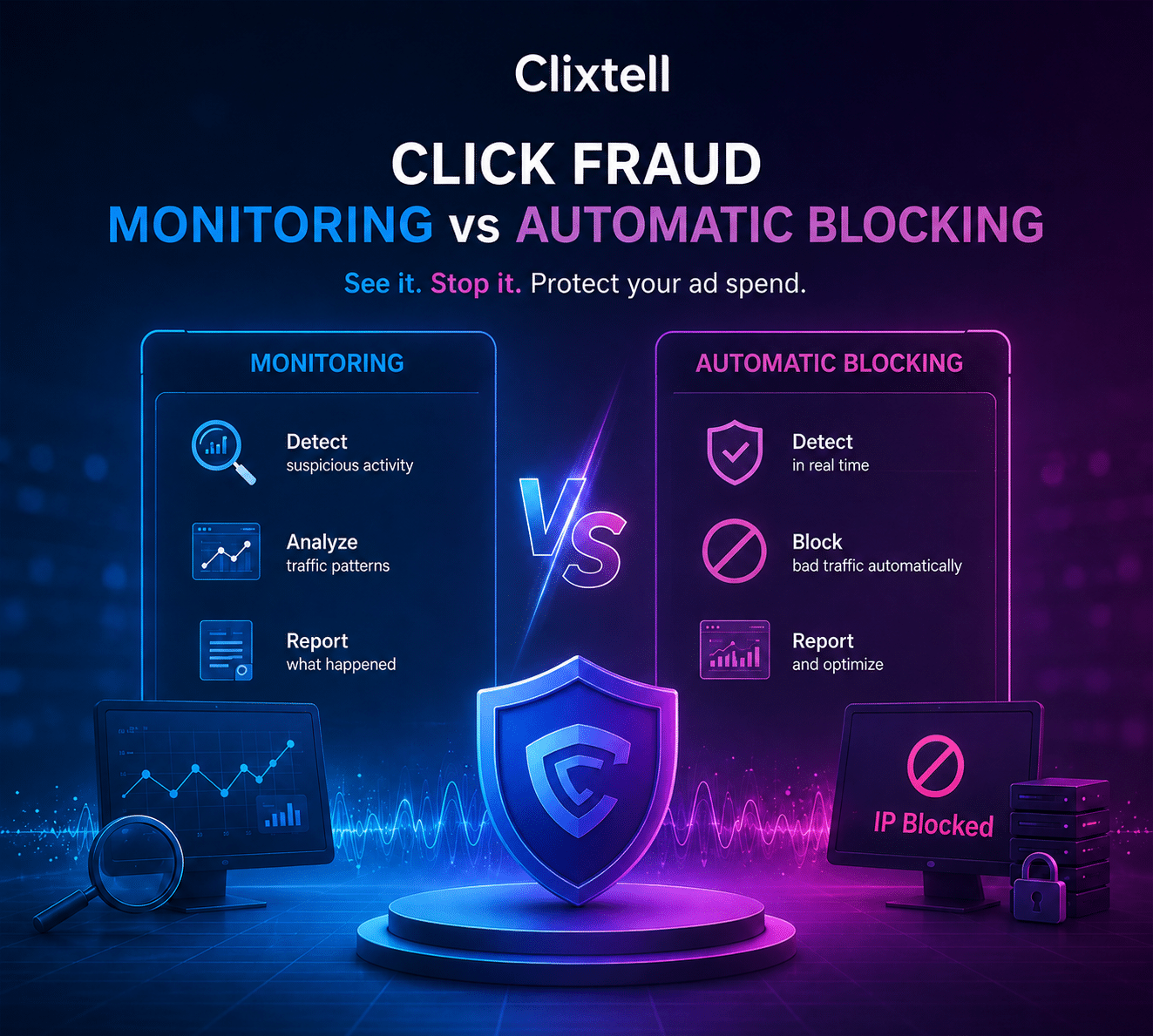
Click Fraud Monitoring vs Automatic Blocking: Why Effective Protection Should Do Both
Click fraud monitoring and automatic blocking are sometimes presented as two competing approaches. In practice, effective automatic blocking should already include continuous monitoring, analysis and reporting.
Monitoring records paid clicks and helps advertisers identify suspicious patterns. Automatic blocking adds action when activity reaches the conditions defined in the advertiser’s Security Profile and the advertising platform supports the required exclusion.
For supported Google Ads campaigns, automatic blocking is generally the stronger default. It preserves visibility into paid traffic while reducing the delay between identifying suspicious activity and preventing additional rule-matching clicks.
What Is Click Fraud Monitoring?
Click fraud monitoring records and analyzes activity generated by paid advertising traffic. It gives advertisers visibility into patterns that may not appear clearly in standard advertising reports.
A monitoring platform can review signals such as IP addresses, IP ranges, click frequency, devices, internet service providers, VPN or proxy usage, geographic locations, campaign information, time between clicks and visitor activity after reaching the website.
For example, several clicks may appear to come from different IP addresses while still being associated with the same device or network. This is where device fingerprinting for click fraud detection can provide additional context that an IP address alone may not reveal.
Monitoring can also identify a source that repeatedly clicks expensive keywords without showing normal customer behavior, or a group of visits arriving from unusual networks, locations or time patterns.
The limitation is that monitoring-only stops after detection and reporting. It can show that a source clicked several times, but it does not automatically prevent another click. Someone must review the information, decide whether action is appropriate and update the relevant exclusion settings.
How Automatic Blocking Expands on Monitoring Data
Automatic blocking does not replace monitoring. It adds an enforcement layer to the same detection and reporting process.
A typical protection process works as follows:
- A visitor clicks a paid advertisement.
- The click and corresponding website visit are recorded.
- Available traffic, device and network signals are analyzed.
- The activity is evaluated against the advertiser’s Security Profile.
- When a rule is reached, an exclusion can be applied where supported.
- The activity and reason remain available for review.
Clixtell maintains a dynamic IP block list and synchronizes supported exclusions with Google Ads in the background. Advertisers can review the source, triggering rule, duration and related account activity instead of maintaining a static list manually.
This means automatic blocking should not be viewed as a blind mode. Monitoring and account visibility continue to operate. The difference is that the system can respond without waiting for a person to review every individual click.
For supported campaigns, this creates a stronger layer of Google Ads click fraud protection without giving up traffic analysis, reporting or control over the individual rules.
Monitoring-Only vs Automatic Blocking
| Capability | Monitoring-Only | Automatic Blocking |
|---|---|---|
| Records paid clicks | Yes | Yes |
| Analyzes suspicious patterns | Yes | Yes |
| Provides traffic reports | Yes | Yes |
| Evaluates configured protection rules | Yes | Yes |
| Automatically applies supported exclusions | No | Yes |
| Helps prevent the next rule-matching click | No | Yes |
| Requires frequent manual intervention | Usually | Less frequently |
| Allows profile and rule adjustments | Yes | Yes |
Both approaches provide information. Only automatic blocking adds an immediate protective response where the advertising platform and current integration support it.
The Security Profile Controls When Blocking Occurs
The main safety mechanism is not the automatic-blocking switch by itself. It is the Security Profile that determines when action should be taken.
A Security Profile defines how much repeated activity is allowed, which time periods should be evaluated and how long a source should remain blocked.
A standard Clixtell profile can include graduated rules such as:
- Exclude an IP after two clicks within one minute.
- Exclude an IP after three clicks within 24 hours.
- Exclude an IP after four clicks within seven days.
- Exclude an IP after five clicks within 60 days.
This graduated structure matters because five clicks within two months do not represent the same behavior as five clicks within two minutes.
A legitimate prospect may return several times during a long buying journey. Rapid repeated clicks can represent a different level of risk, especially when combined with suspicious device, network, location or engagement signals.
The correct profile therefore depends on the business. A local emergency-service advertiser may need faster action because a few expensive clicks can consume a meaningful portion of its daily budget. A B2B software company may need to allow more return visits because several people can evaluate a product before a trial or sales enquiry.
If the average CPC is $50, four additional clicks from the same rule-matching source represent $200 in potential advertising cost. Monitoring can document the activity, but it cannot prevent those clicks after they have occurred.
This does not mean every $50 click should trigger an immediate block. It means that response speed becomes more important as CPC and repeated-click frequency increase.
How to Start Automatic Protection Safely
1. Verify the Integration
Accurate protection begins with accurate attribution. Confirm that the correct Google Ads account is linked, auto-tagging is enabled, the account-level tracking template is applied correctly and the Clixtell website script loads on the relevant pages.
Landing pages should preserve the required click parameters through redirects and page loading. Campaign-level or third-party tracking templates should not overwrite the account-level setup.
Tracking problems should be corrected before unusual activity is classified as click fraud.
2. Select the Closest Security Profile
The profile should reflect the advertiser’s average CPC, daily click volume, typical number of visits before conversion, lead value, geographic targeting, competitive intensity and customer journey.
A business with a long research cycle should not automatically use the same thresholds as an emergency-service advertiser.
3. Activate Automatic IP Blocking
After the rules have been configured, activate Automatic IP Blocking so the system can execute supported exclusions instead of using the rules only for observation.
4. Review the First Days of Activity
Review which rules were triggered, the time between clicks, affected campaigns and keywords, devices, networks, geographic patterns, returning conversions and sources that may need to be whitelisted.
5. Adjust the Specific Rule
When a rule appears too strict or too relaxed, change the relevant threshold, duration, whitelist or sensitivity. Disabling the entire protection system because one rule needs adjustment removes protection from every other rule that may be working correctly.
Clixtell’s support team is available 24/7 to answer questions, review the setup and help advertisers select protection rules that fit their normal traffic patterns.
How Clixtell Manages the Google Ads IP Limit
Google Ads permits up to 500 addresses or ranges in each campaign-level Google Ads IP exclusions list.
A static exclusion list can reach this limit quickly, especially when suspicious sources rotate between IP addresses.
Clixtell can maintain up to 490 active campaign-level IP addresses or ranges, leaving 10 available positions for new real-time exclusions. When the active list reaches that level, the system can prioritize higher-risk networks and consolidate related addresses into an IP range where the available evidence supports it.
This is an important difference between dynamic list management and manually collecting every suspicious address indefinitely.
Manual lists can remain filled with older addresses that no longer represent the highest current risk. A dynamic system can focus on more recent activity while making more efficient use of the available exclusion capacity.
Platform and Campaign Limitations
Automatic blocking depends on the exclusion controls provided by each advertising platform and on the campaign types supported by the current third-party integration.
Google Ads
Google provides both campaign-level and account-level IP exclusion capabilities, but availability differs between campaign types and exclusion levels.
Account-level capabilities provided by Google do not automatically mean that every third-party platform can synchronize automatic exclusions to every campaign type. Advertisers should verify which exclusion level and campaign types are currently supported by their integration.
Campaign types that do not support automatic exclusion through the current integration can still be monitored and analyzed, but they should not be described as receiving the same automatic blocking as supported Search campaigns.
Microsoft Advertising
Microsoft Advertising allows up to 100 IPv4 addresses or ranges per campaign under Microsoft Advertising’s IP exclusion rules.
Clixtell can monitor Microsoft Ads traffic, while exclusions must be managed according to the controls currently available through Microsoft Advertising and the supported integration workflow.
Meta Ads
Clixtell can analyze tagged Meta traffic, sessions and post-click behavior. This should be distinguished from Google Ads automatic IP blocking.
Meta traffic is primarily evaluated through traffic quality and post-click behavior so advertisers can identify suspicious sources and make informed decisions about audiences, placements and campaigns.
A Real Clixtell Case Study
In the published Ruby’s Local Plumber case study, the business was spending approximately $9,000 per month on Google Ads.
Clixtell reported that the business recovered approximately $3,000 per month in wasted advertising spend and increased its conversion rate from 3% to 6% after implementing protection and traffic-quality analysis.
A single case study should not be treated as a guaranteed result for every advertiser. Results depend on the account, industry, traffic sources and existing level of invalid activity.
However, the case demonstrates why detection alone is not the full objective. The business result came from identifying poor-quality activity and applying protection, not merely producing a report that the activity existed.
How to Measure Whether the Security Profile Is Working
The number of blocked clicks is not enough to evaluate the success of a Security Profile.
Advertisers should also review:
- Qualified conversions
- Conversion rate
- Cost per qualified lead
- Lead quality
- Repeat activity from blocked sources
- Budget stability
- Campaigns generating the most exclusions
- Legitimate returning visitors
- Changes after individual rules are adjusted
A profile that produces many blocks but interferes with genuine customer journeys may be too aggressive. A profile that repeatedly identifies the same activity without responding quickly enough may be too relaxed.
The correct profile should improve traffic quality while still allowing normal prospects to research, return and convert.
The Better Default: Monitor Continuously and Block Automatically
The choice is not between understanding traffic and protecting campaigns. Effective automatic blocking should provide both.
It continuously monitors paid clicks, evaluates available signals, records the results and applies supported exclusions according to the advertiser’s selected Security Profile.
Monitoring-only still has an important role in technical audits, controlled tests, temporary investigations and traffic sources where automated enforcement is unavailable.
For supported campaigns, however, automatic protection is generally preferable because it preserves visibility while reducing the time between identifying suspicious activity and applying a protective response.
The safest implementation follows five principles:
- Verify tracking before judging traffic.
- Use a Security Profile appropriate for the business.
- Enable automatic protection where supported.
- Review the reasons behind blocks.
- Adjust individual rules without disabling the entire protection layer.
When automatic protection is supported and correctly configured, advertisers should not have to settle for a report that arrives only after the advertising budget has already been spent.
FAQ
Does automatic click fraud blocking include monitoring?
Yes. Automatic blocking includes continuous monitoring, analysis and reporting. It adds an automated response when activity reaches the conditions defined in the advertiser’s Security Profile.
Should a new Google Ads account begin with monitoring-only?
Usually not. After the tracking setup has been verified, supported campaigns can generally begin with automatic protection using a suitable Security Profile. The individual rules can then be adjusted according to real traffic.
Can automatic blocking affect legitimate customers?
Rules that are too aggressive can affect genuine repeat visitors. This risk should be managed through realistic thresholds, graduated time windows, whitelisting and regular Security Profile reviews.
What is the Google Ads IP exclusion limit?
Google Ads permits up to 500 IP addresses or IP ranges in a campaign-level exclusion list. Availability and enforcement capabilities can differ between campaign types and account-level controls.
When should monitoring-only be used?
Monitoring-only is most appropriate for temporary audits, controlled tests, technical investigations or advertising platforms where the required automatic exclusion capability is unavailable.